![Simpled Logo Size-1.jpg]](https://learn.simpled.uk/hs-fs/hubfs/Simpled%20Logo%20Size-1.jpg?height=50&name=Simpled%20Logo%20Size-1.jpg)
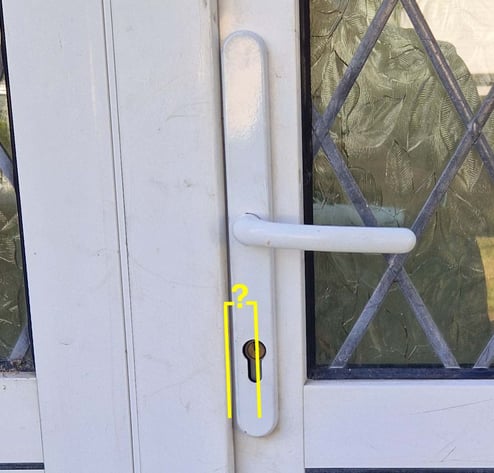
When installing a smart lock, it is important to confirm that the lock body will not hit the door frame when the door opens.
This issue can occur when the door frame has a rebate (the lip or groove that the door closes against). If the lock panel is too wide for the available space, the lock may rub against or hit the frame during opening.
What Is the Rebate?
The rebate is the groove or lip cut into the door frame that helps seal the door when it closes.
How to Measure Correctly
-
Close the door.
-
Stand outside the door, but inside the frame area if the door opens outward.
-
Measure from the edge of the door frame to the centre of the keyhole or handle spindle
Both the keyhole centre and spindle centre should give the same measurement.
Minimum Required Distance by Lock Model
The measured Backset − Rebate distance must be at least the following:
| Lock Model | Minimum Distance |
|---|---|
| SS | 27 mm |
| SF / SFS / HF / EF / DFF | 25 mm |
| TF | 23 mm |
| WF / DWF | 28 mm (when using full-case mortice such as 35 / 45 / 55 mm) |
If using the supplied tubular mortice (60 mm backset) with WF/DWF models, there is no risk of hitting the door frame.
Quick Clearance Formula
To maintain at least 5 mm clearance between the lock and the frame:
(Panel Width × 50%) + 5 mm
This gives the minimum Backset − Rebate measurement required.
Example (SF Model)
Backset minus the Rebate is = 25 mm
Panel width = 40 mm
Calculation:
40 mm × 50% = 20 mm
20 mm + 5 mm = 25 mm
Result: This installation will work.
Actual Panel Widths (Excluding Gasket)
Manufacturers usually include the gasket in their width specifications. The values below show the actual metal panel width without a gasket.
44mm- WF/DWF
42mm - SS
40mm - SF/SFS/HF/EF/DFF
35mm - TF
Gasket Notes
-
SS, SF, SFS, HF, EF, DFF: Gasket extends 1 mm beyond the lock on each side (adds 2 mm total width)
-
WF / DWF and TF: Gasket is the same width as the lock itself